What's on it
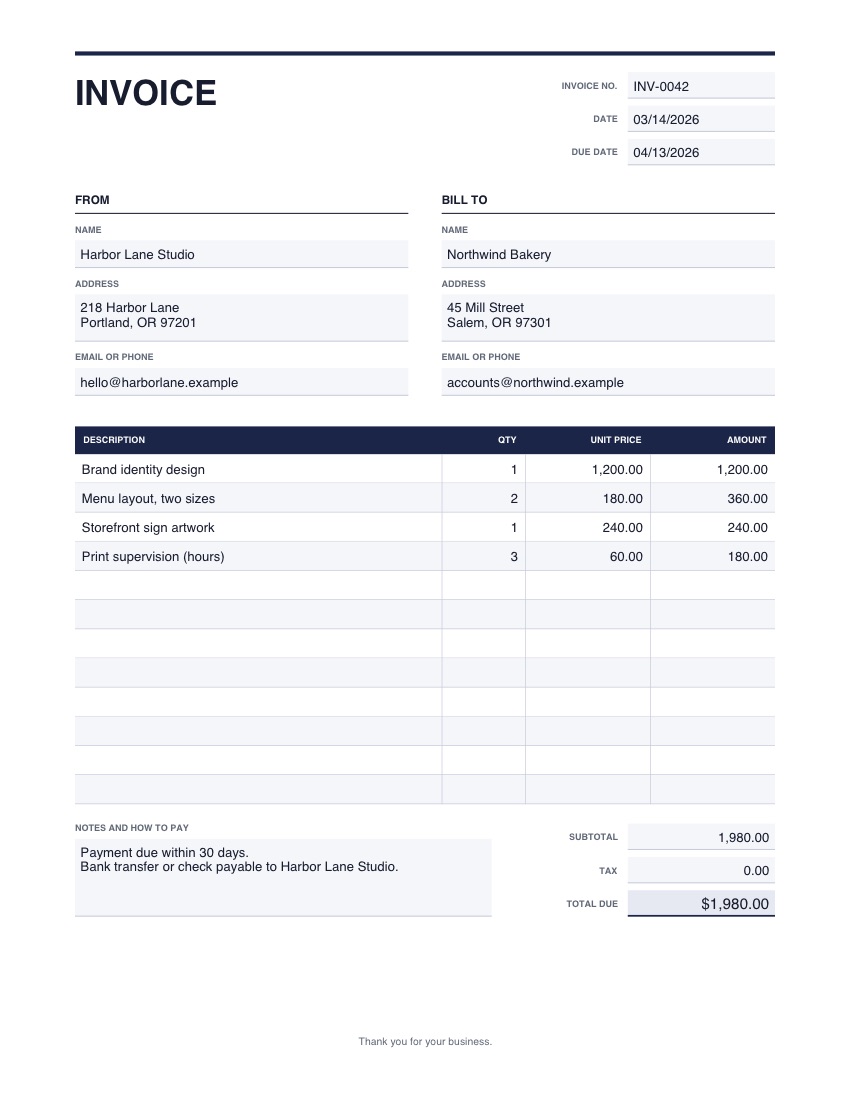
- Invoice number, date and due date
- Your details and the customer's
- Twelve lines for description, quantity, unit price and amount
- Subtotal, tax and total due
- Room for notes and how to pay
One page, US Letter. The picture shows example details; yours opens empty.
Good to know
- The totals are boxes you type into; the form does not add up for you, so check your sums.
- Tax rules differ by place. Add the tax line only if you charge it, and say what it is in the notes if you need to.
How to use it
- 1
Press the button. The template opens in the editor, empty.
- 2
Type into the boxes and tick what applies. Click any wording to change it, and add your logo or signature.
- 3
Download the finished PDF, or save it to your account to reuse.